


What are Instagram Broadcasts? #
Instagram Broadcasts are a way for businesses or influencers to send messages directly to a group of people on Instagram. These messages appear in the Direct Messages section and are a great way to share important updates, offers, or news with followers in a personal and easy way.
Why to use Instagram Broadcasts? #
- Direct Communication: Send messages directly to your followers’ inbox, ensuring higher visibility.
- Targeted Messaging: Reach specific groups of followers with personalized content.
- Promote Offers and Updates: Share time-sensitive news, promotions, or new products.
- Stronger Engagement: Messages feel more personal, encouraging followers to take action.
How to setup Instagram Broadcasts #
- Log into your Flowmatix and go to the Instagram Bot.
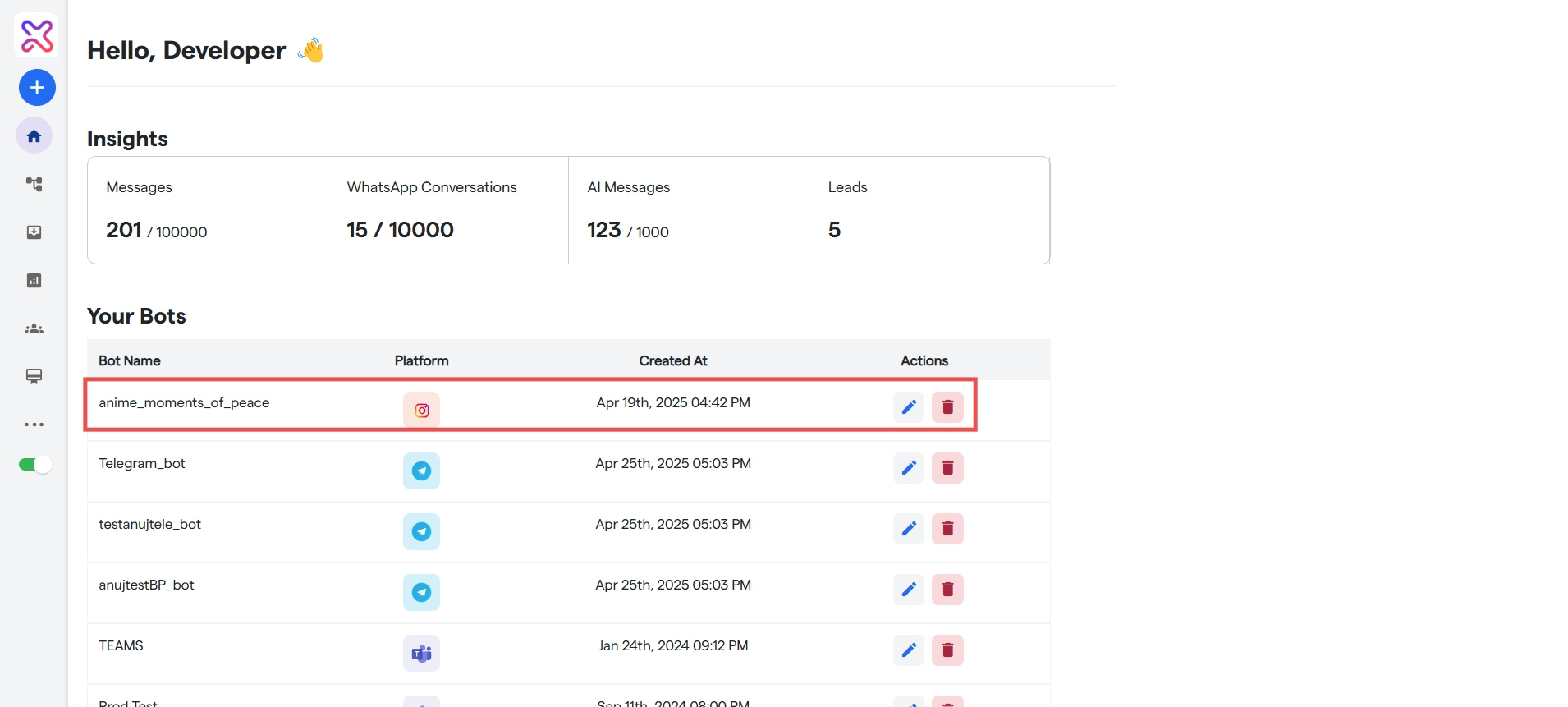
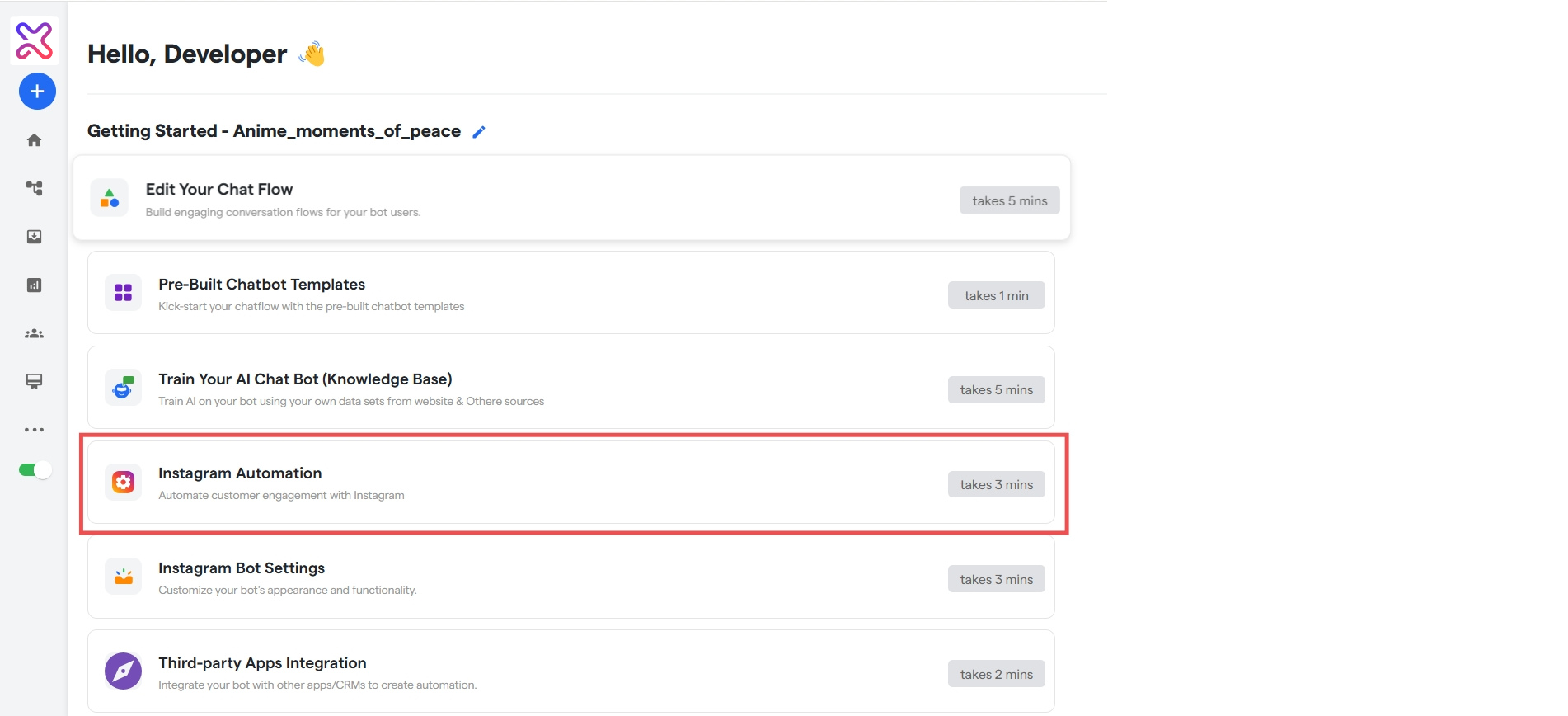
- Go to “Instagram Automation“.
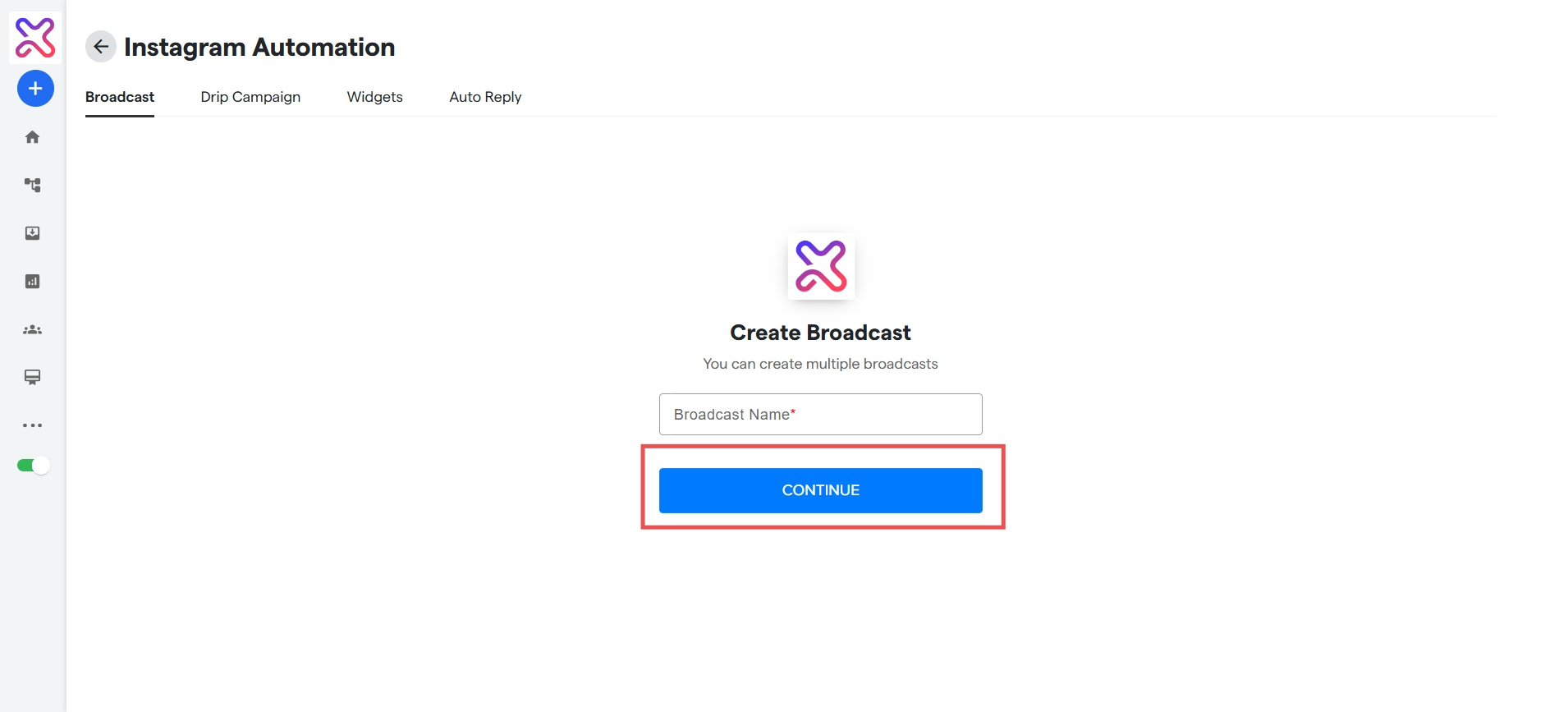
- You will automatically be on the Broadcast page. Give the broadcast a name and then click “Continue“.
- Fill all the details in the a shown on the form:
- Broadcast Name: The name of the broadcast.
- Flow: The flow that will be broadcasted(recommended to keep the flow small)
- Groups: The Groups to which the broadcast will be sent.
- When to Send: Can send now, or select date and time slot to send broadcast.
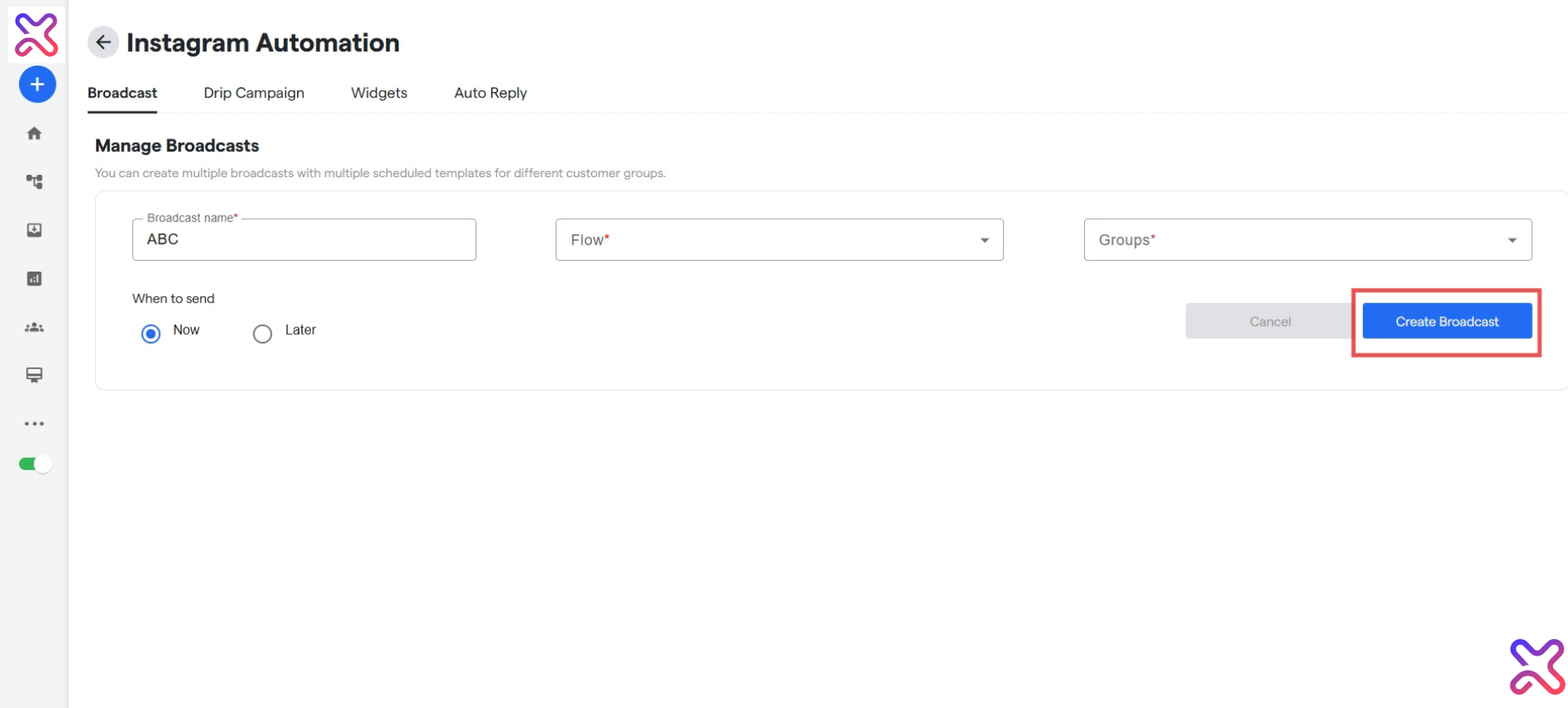
- Click on the “Create Broadcast” to create the Broadcast.
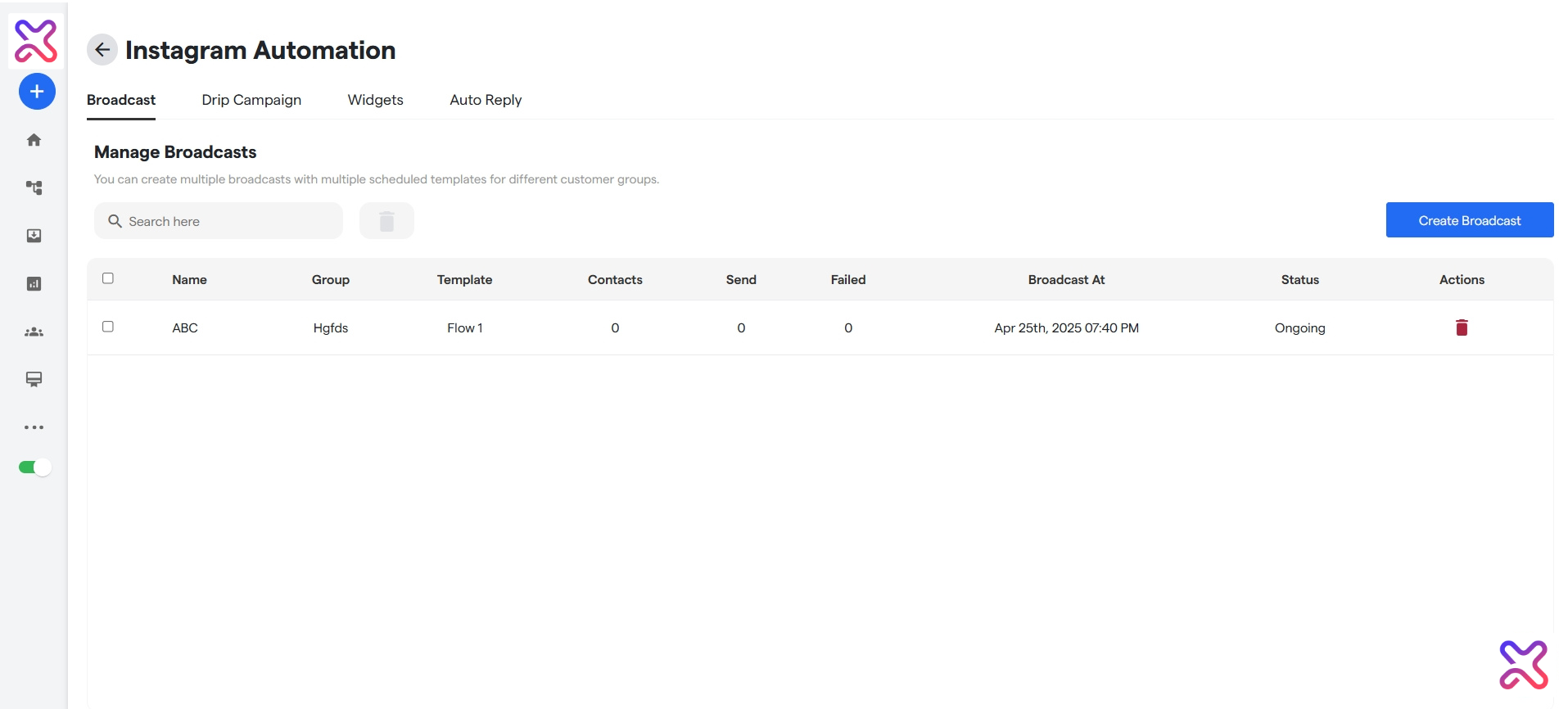
And that’s it, the broadcast has been created! When the broadcast finishes, it will show “COMPLETED” under the Status heading.
If everything is correct and you are still unable to move forward, write to us at https://flowmatix.ai/contact-us/