


What is a Telegram Bot? #
A Telegram bot is an automated assistant inside the Telegram app that can chat with users like a real person. On Flowmatix, this bot can send messages, answer user queries, collect data, guide visitors, and handle tasks without any manual effort. It helps businesses stay connected with their customers at all times—without needing someone online 24/7. Once connected via Flowmatix, the Telegram bot can manage multiple conversations at once, making customer support and engagement simple and efficient.
Benefits of Telegram Bot #
- 24/7 Availability: Your bot stays active round the clock, helping customers even after working hours.
- Easy Setup: With Flowmatix, you can connect or create a Telegram bot in just a few clicks—no coding needed.
- Automated Chat Flows: Design conversations to match your business needs and guide users smoothly.
- Drip & Broadcast Campaigns: Reach users with scheduled updates or send bulk messages instantly.
- Lead Collection & Support: Capture leads and solve user problems automatically through interactive chat.
How to Automatically Create a Telegram Chatbot? #
- Log into your Flowmatix account. Click on the top-left “Create Bot” icon.
- Select the “Telegram Chatbot” at platform selection, and click on “Proceed to Next Step”
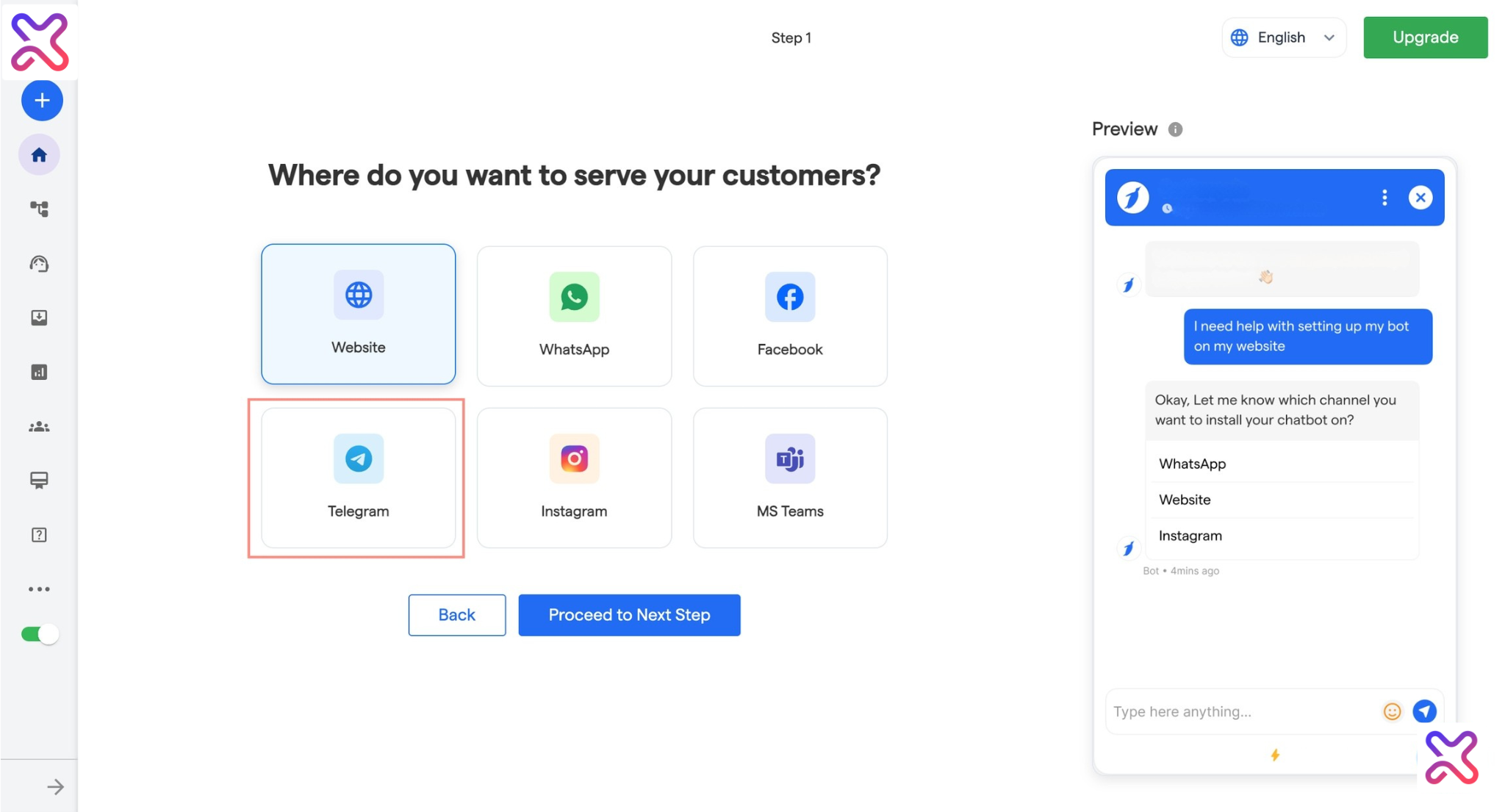
- Select a valid use case, and then click on “Proceed to Next Step”
- Enter your phone number which is connected with Telegram.
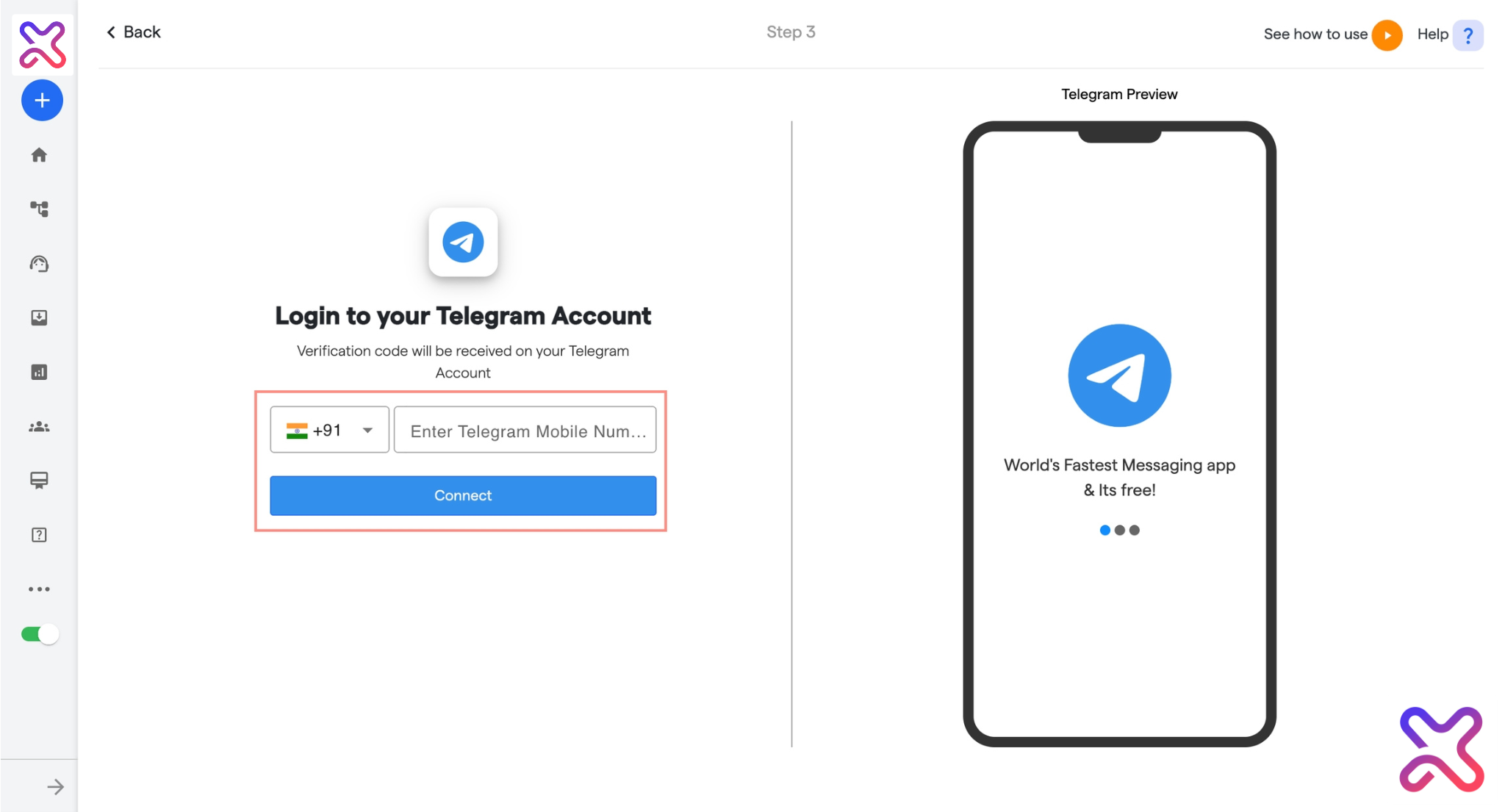
- You will receive a “Login code” in your Telegram account. Enter the Login Code and click on “Create Bot”.
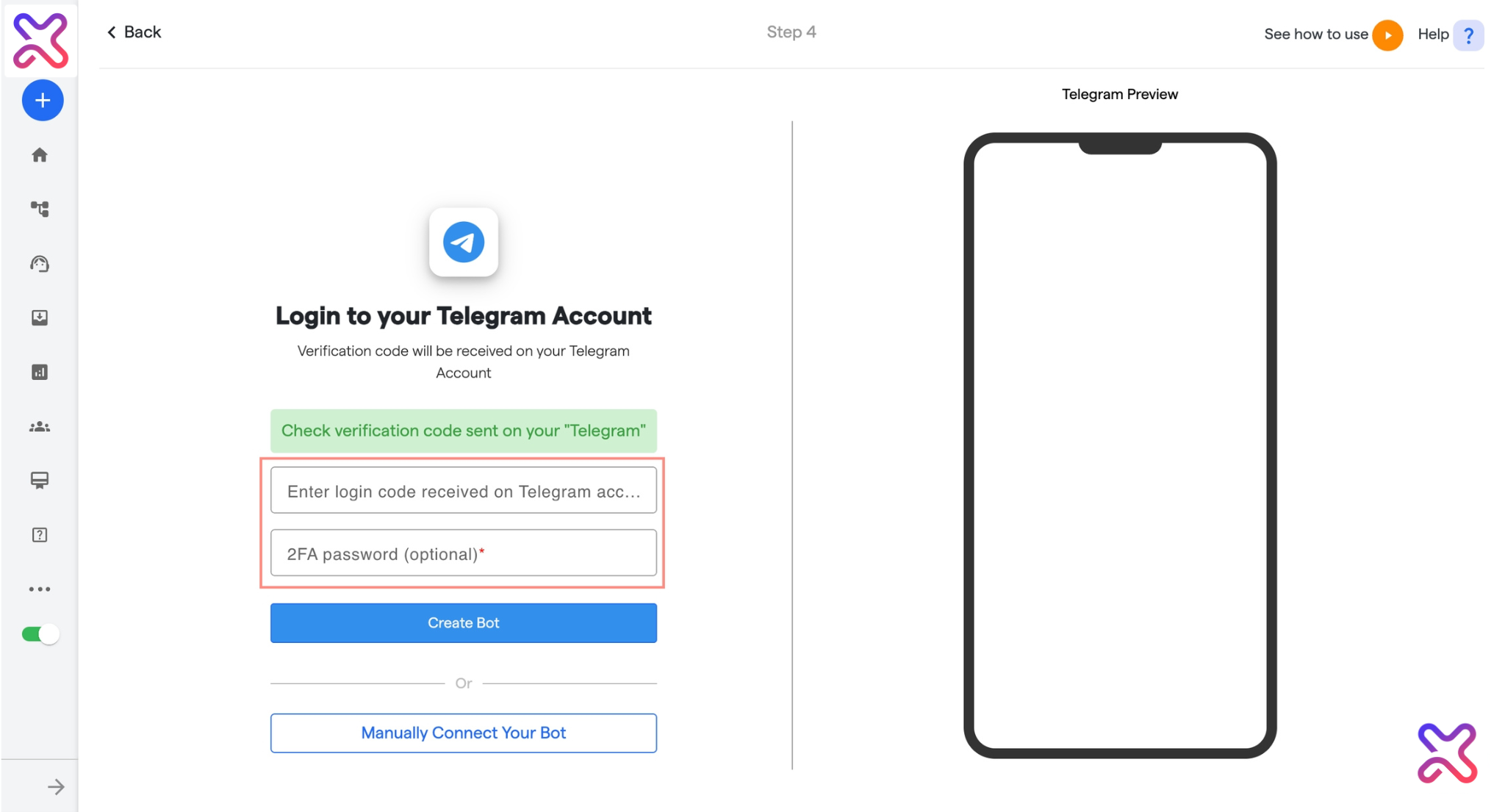
You may click to `resend` code in case you haven’t received it. If still not received the Login code, please verify the Telegram mobile number and re-enter it by clicking “Change number”.
- Congratulations! You have created your Telegram Chatbot!
How to Manually Create a Telegram Chatbot #
- Follow the above steps till step 4. Then, click on “Manually Connect Your Chatbot”
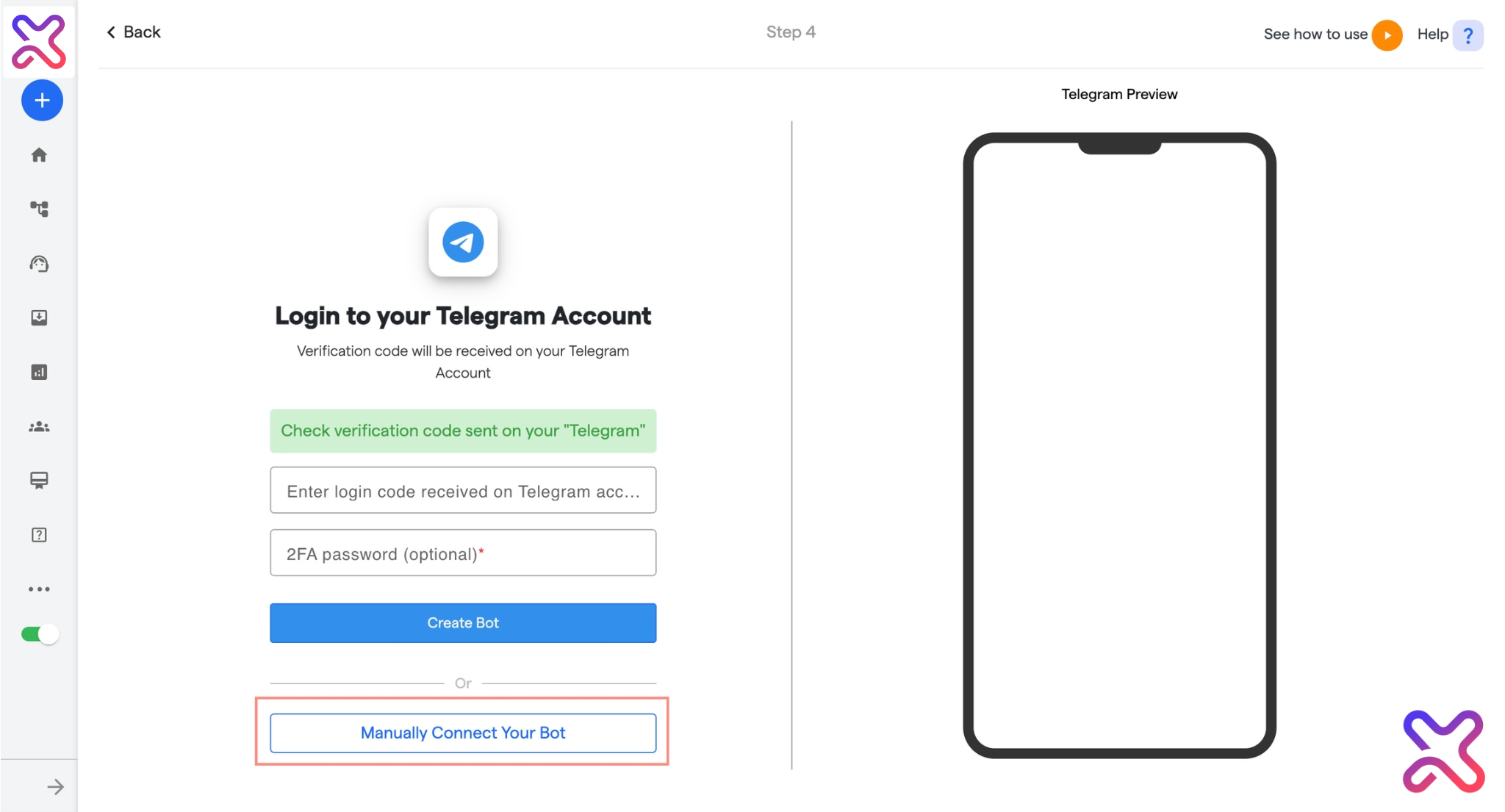
- Enter the:
- Bot name which you want to connect.
- Bot user name which you want to connect
- Bot Authentication Token received on telegram from “BotFather”.
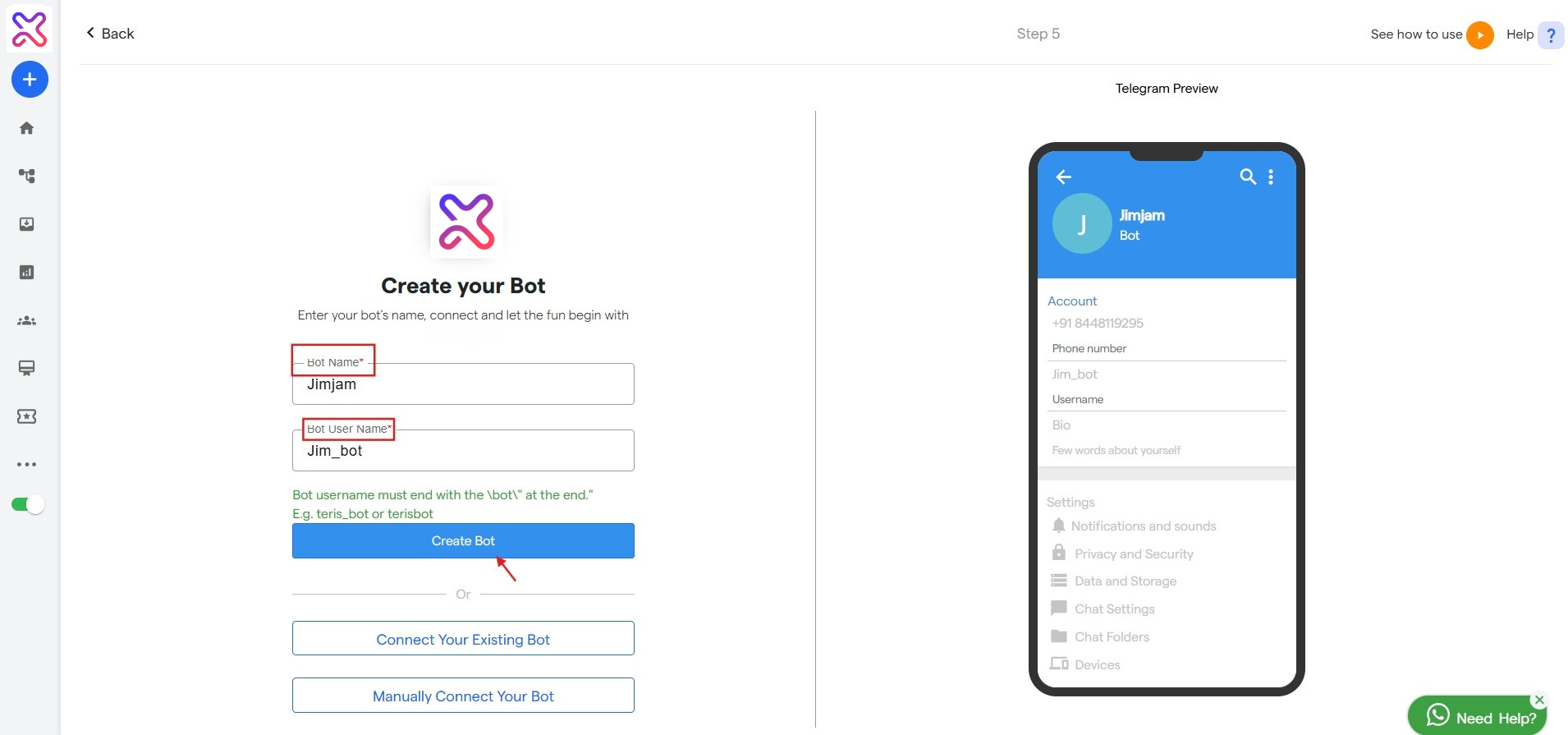
- Click on Connect Bot.
- Congratulations! You have successfully created a Telegram Chatbot!
Edit Your Chat Flow #
a. A chat flow is a structure of messages that determines how a conversation will take
place between your chatbot and the user. Click on the `Edit Your Chat Flow` tab to
customize your chat flow.
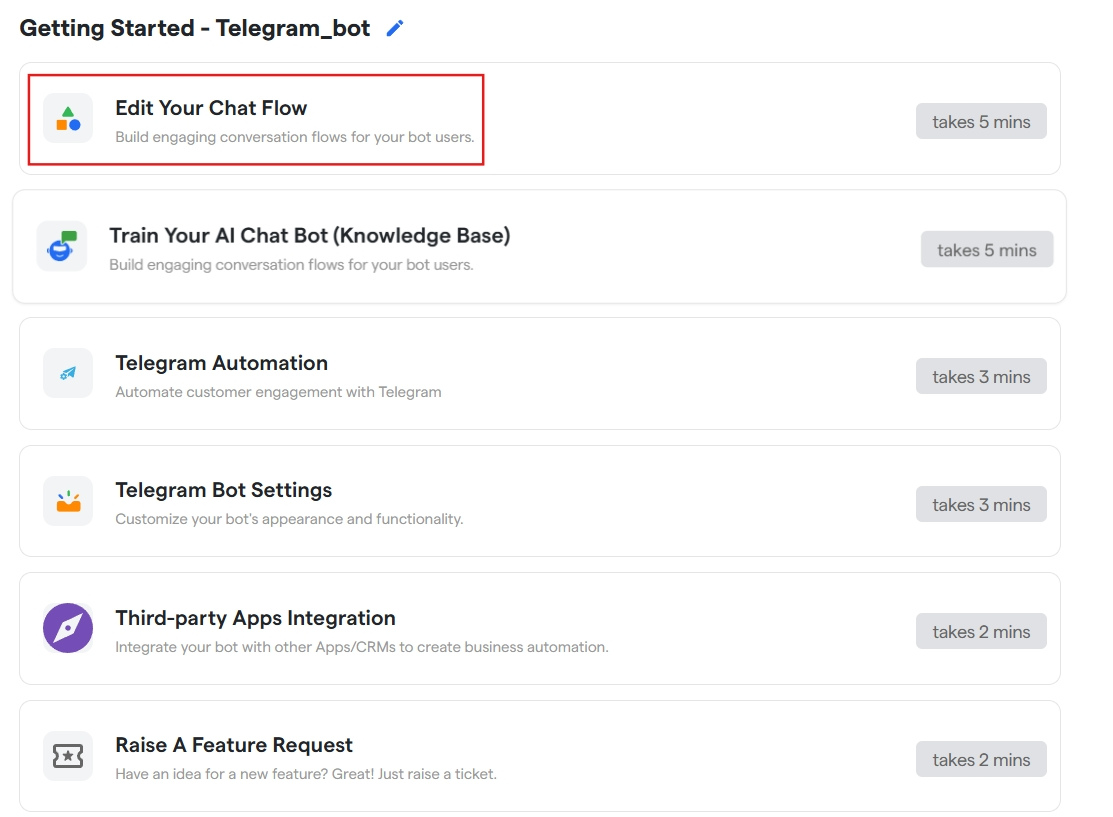
b. Here, you will find a pre-created template of a chat flow that you can customize as per
your business needs. It is very easy and quick to customize the chat flow. Here is the Quick Guide on How to Edit Your Chat Flow.
Telegram Automation #
Here you can configure automation settings for your telegram bot
Chat Flows #
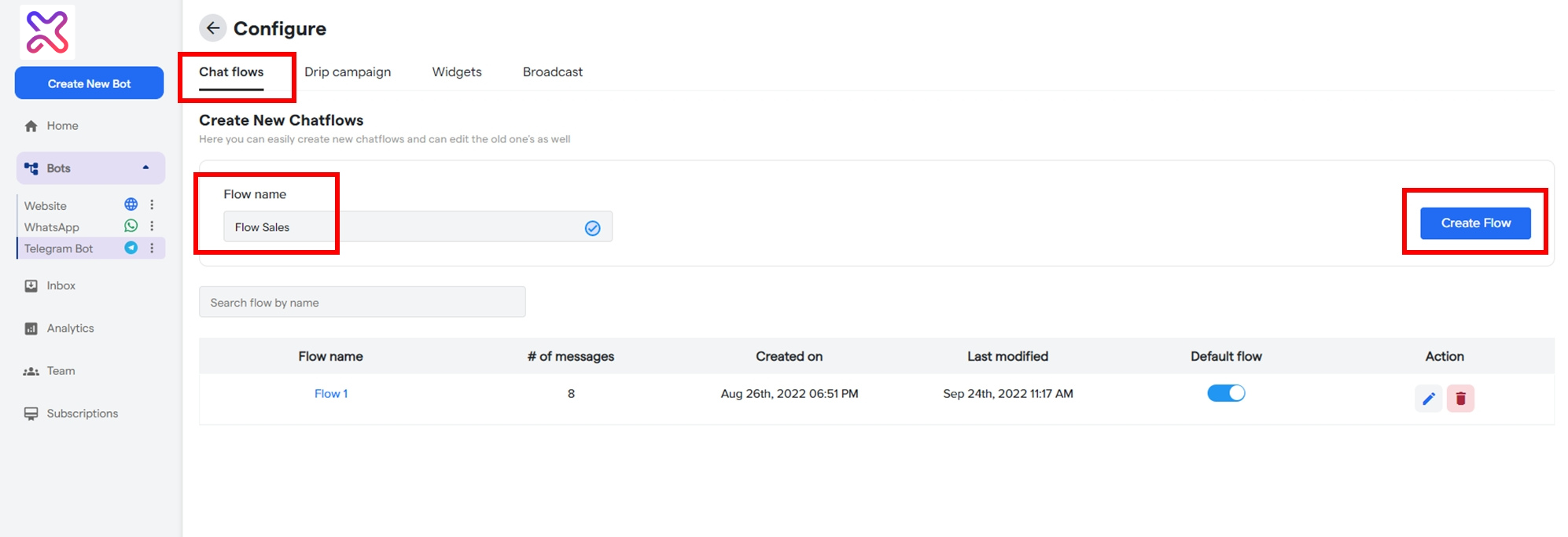
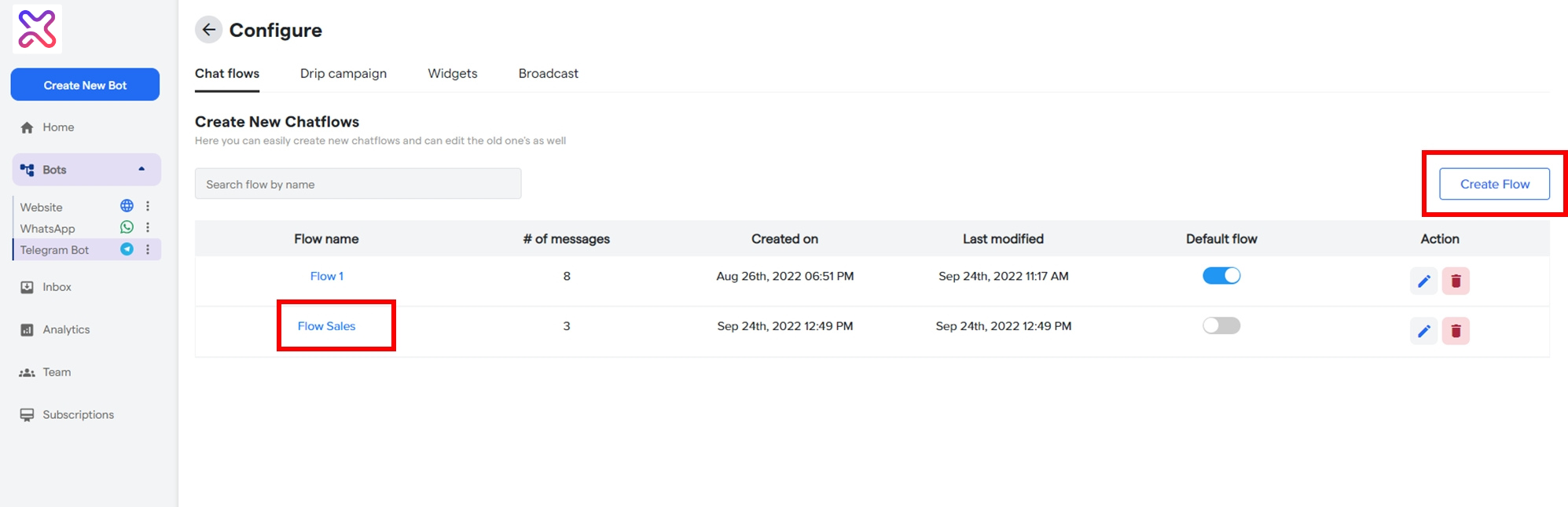
Here, you can also create multiple chat flows from the `Create flow` option
by adding the name of the flow. Once a flow is added, it will be listed under `Flow name`.
This way you can add any number of flows.
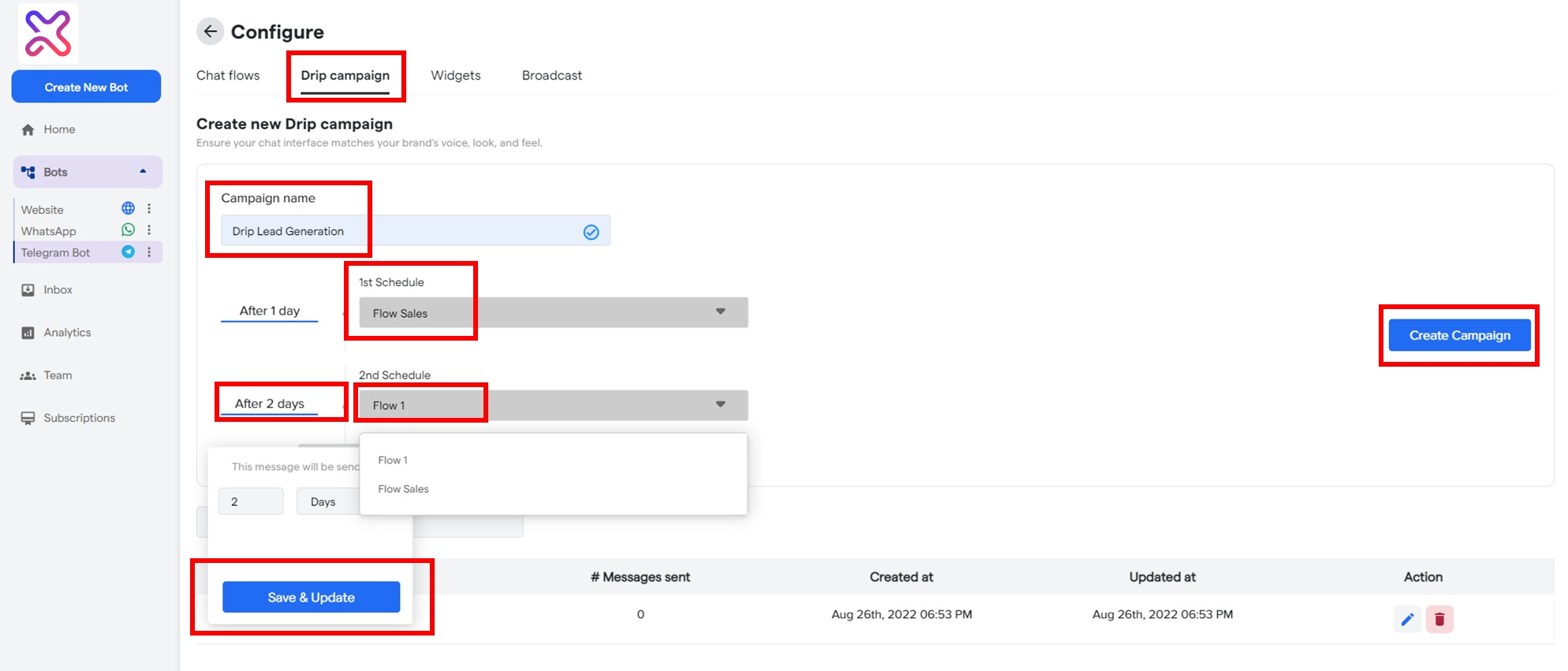
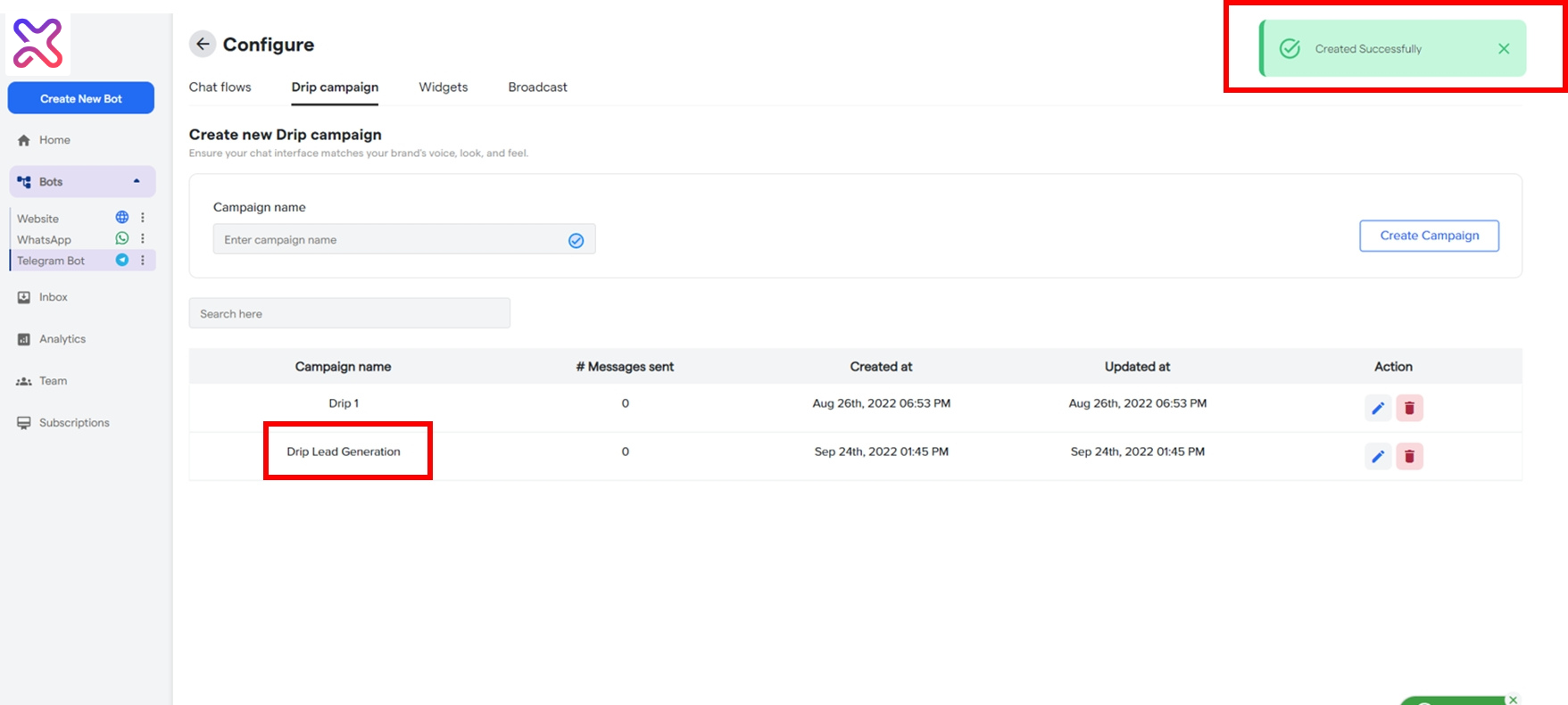
Drip Campaigns #
Drip Campaign is a scheduled and structured flow of messages
created for customer onboarding journeys. To create one, go to the `Drip Campaigns` tab and click `Create Campaign`. Here is the Quick Guide on How to Create Drip Campaigns.
Widgets #
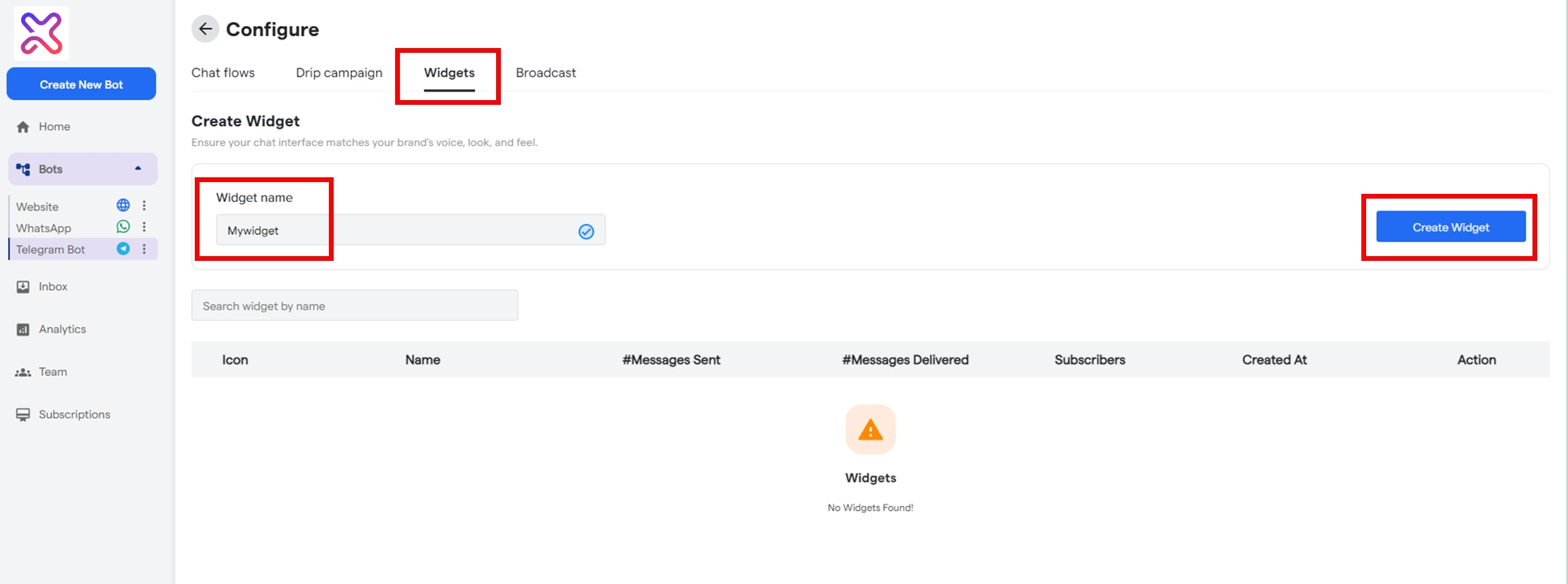
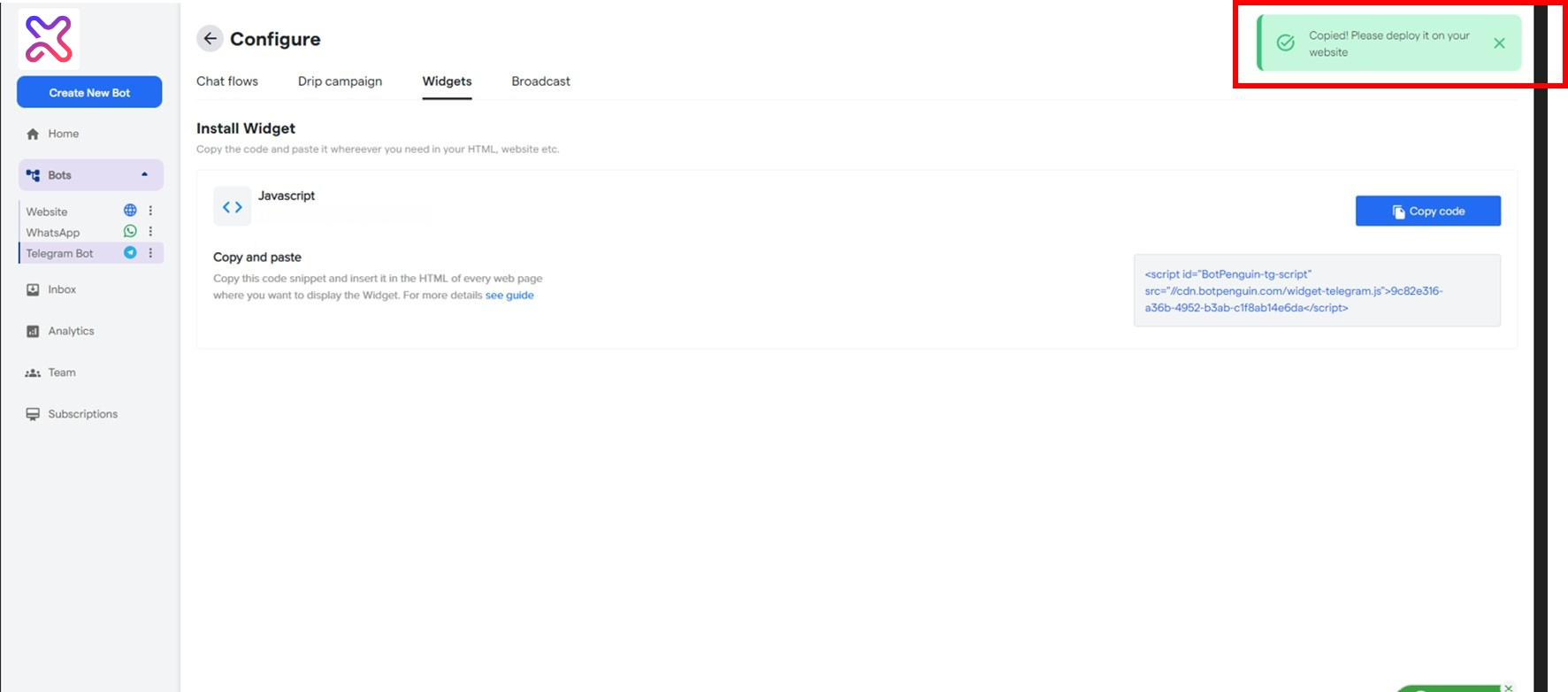
A Widget is a chat interface that can be installed in your website, ads, blogs or
any promotional content to route subscribers to your Chatbot. You can create multiple
widgets by following a few easy steps on the Flowmatix dashboard. To create one, go
to the `Widgets` tab in `Bot Settings` and click `Create Widget` on the extreme right. Here is the Quick Guide on How to Create a Widget
Broadcast #
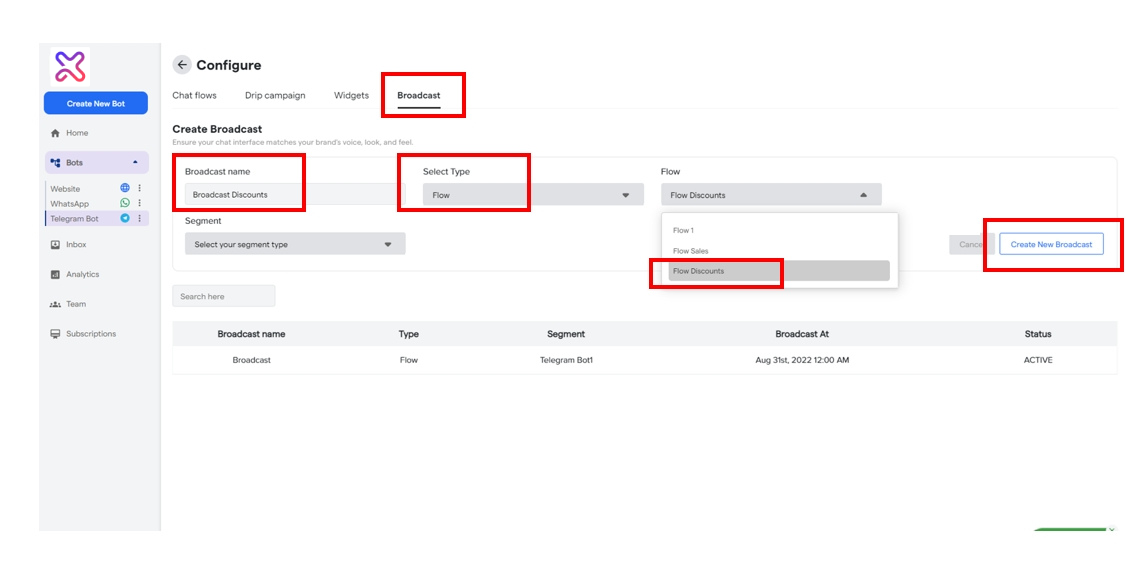
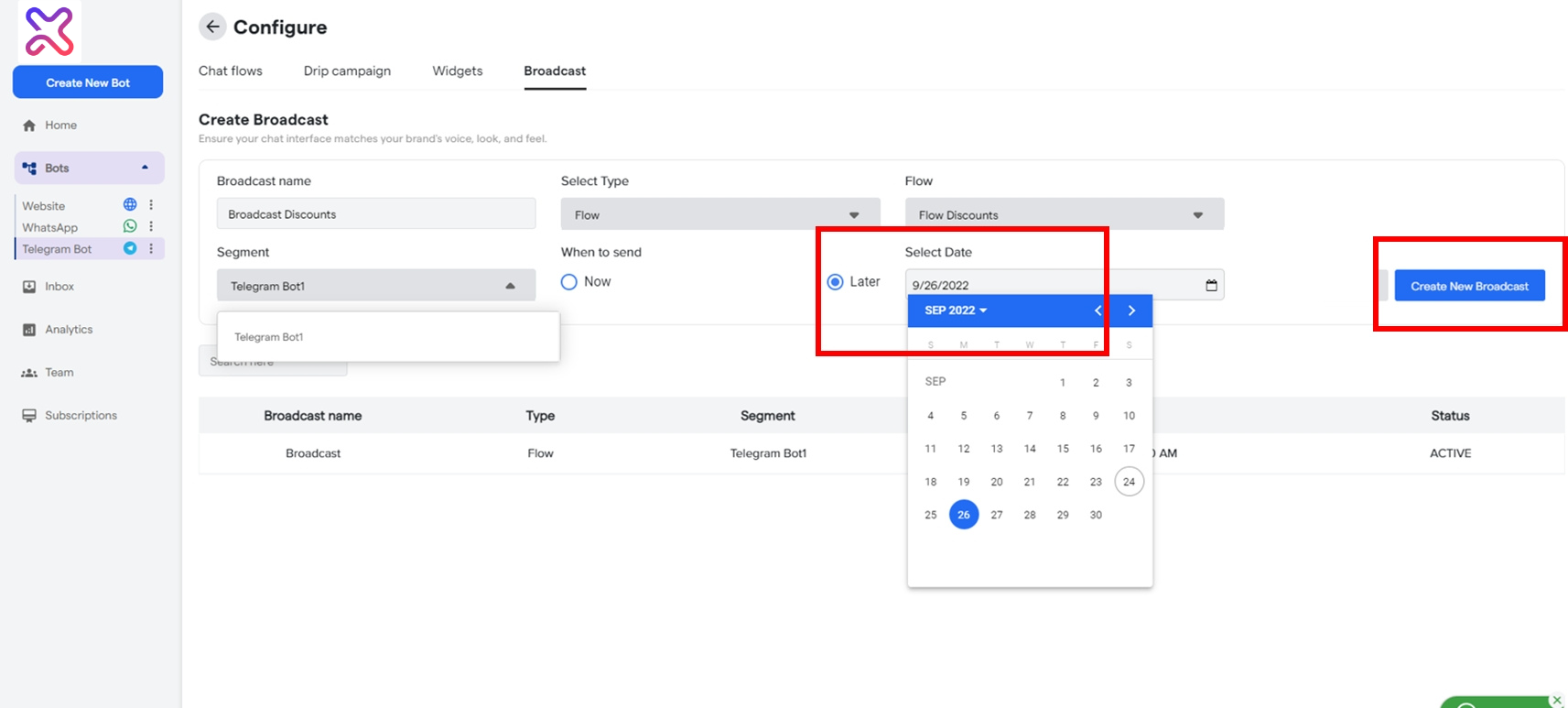
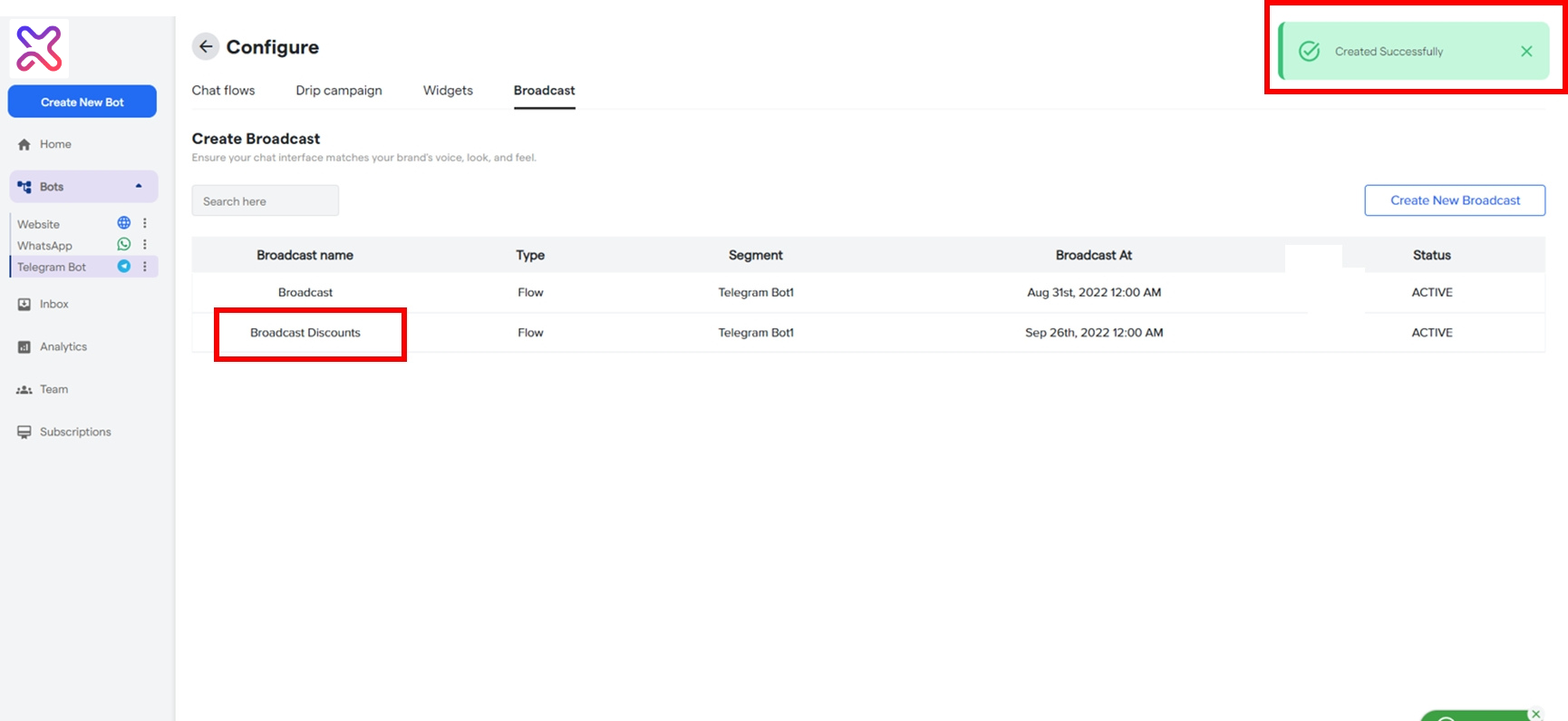
A Broadcast is a chat flow or a message that can be blasted in one click, to
the targeted segment or group of contacts. To create one, go to the `Broadcast` tab in
the `Bot Settings` and click the `Create New Broadcast` on the extreme right.
Here is the Tutorial for Creating a Broadcast.
If you still have some questions for our team, write to us at https://flowmatix.ai/contact-us/