


What is a Broadcast? #
A Broadcast is messages campaigns that can be blasted in one click, to the targeted segment or group of subscribers/contacts. You can create the one using the below guide
How to create a Broadcast? #
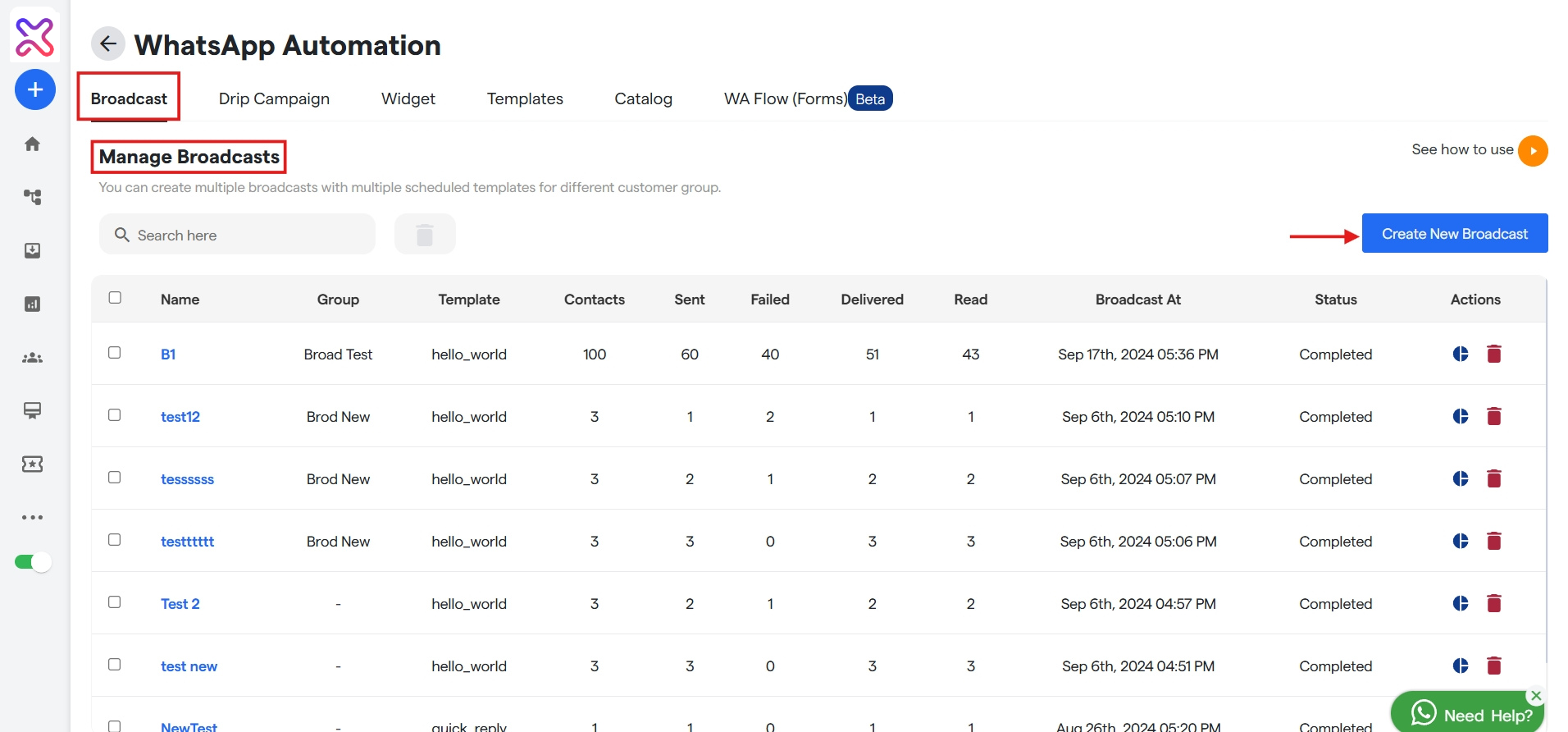
To create one, go to the Broadcast tab in the Bot Settings and click the Create New Broadcast on the extreme right.
Name your broadcast campaign
- Here, enter your Broadcast name, select template and whom to send the broadcast from drop down.
- When you select a template you will be asked to add header media which you can import from your system.
Configure your Broadcast
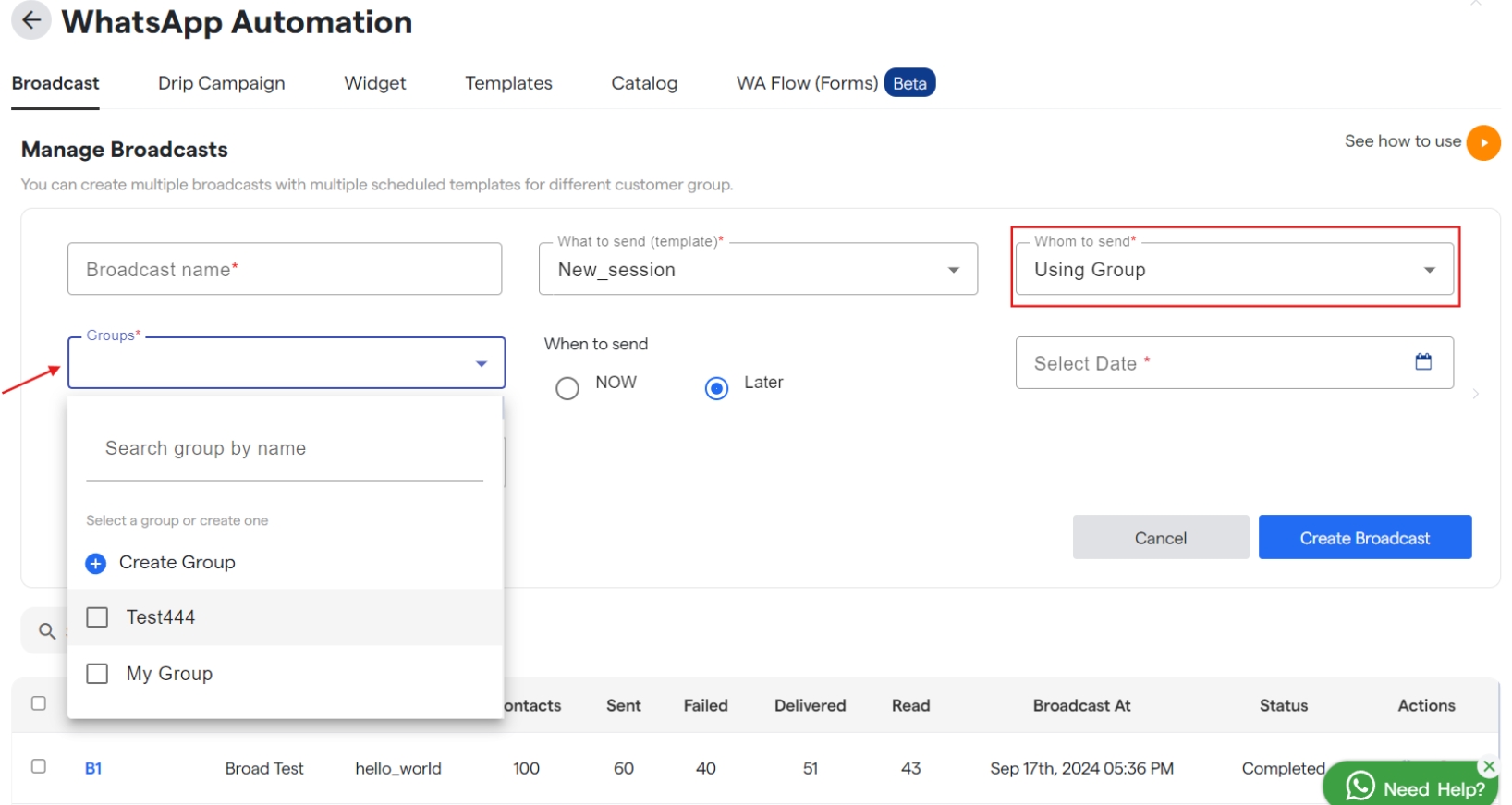
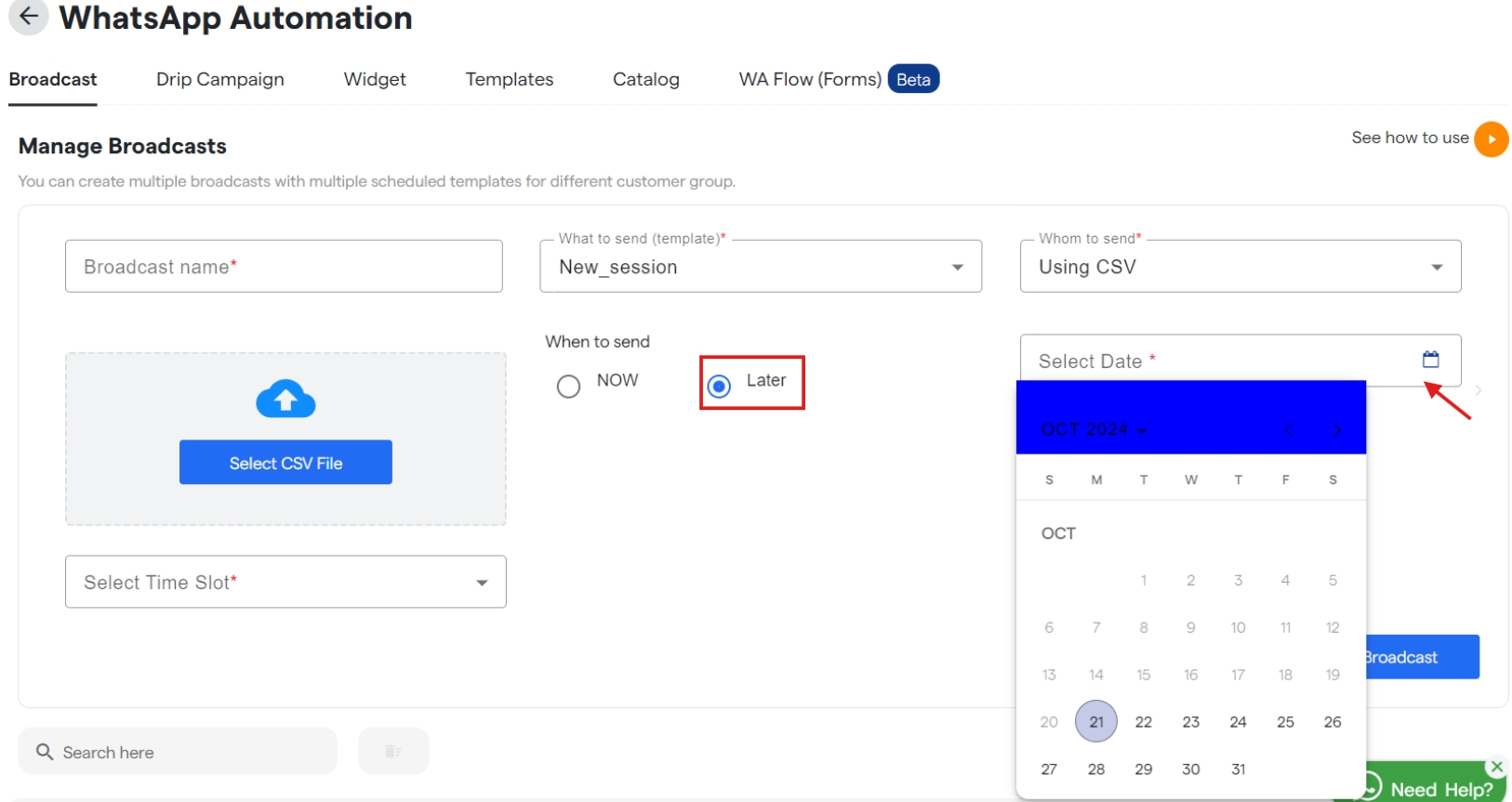
- Once you select the template, when “Using Group” is selected in whom to send you will get a new drop down to select or create a group. And if you select “Using CSV” then upload a csv file for the same.
- Also, select the scheduled date to send the Broadcast, if not to be sent immediately.
- Click
Create Broadcastto save your broadcast and will get listed underBroadcast name. - Similarly you can edit and customize your broadcast that are available under “Manager Broadcast”.
Done! You have created your Broadcast campaign.
If everything is correct and you are still unable to move forward, write to us at support@Flowmatix.com. We will respond back.